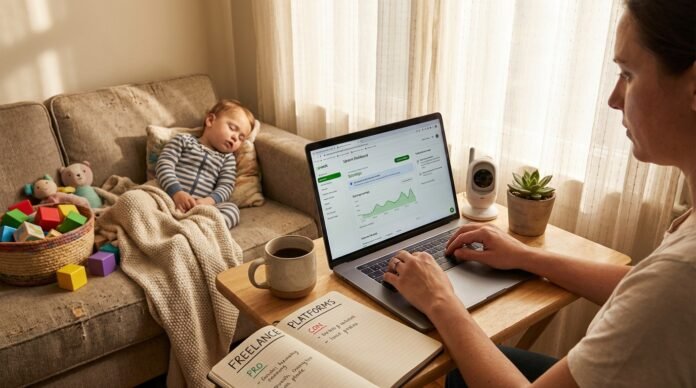
The baby is finally asleep. You have maybe 45 minutes before someone wakes up hungry, wet, or simply lonely. You open your laptop, determined to finally find legitimate work-from-home options—and immediately feel overwhelmed. Upwork, Fiverr, Toptal, FlexJobs, PeoplePerHour, The Mom Project. The list goes on, and every website claims to be “the best.”
I remember signing up for a platform that promised “easy money” and spending three hours on a test only to find out the pay was $3/hour. That’s exactly what this guide will help you avoid.
After a decade of freelancing from home while raising two children, I’ve tested most of these platforms. I’ve made mistakes, learned what works, and figured out which sites are actually worth your precious naptime hours. This article cuts through the noise and gives you a curated, honest comparison of the best freelance websites in 2026—ranked not just by pay, but by how well they accommodate a parent’s unpredictable schedule.
How We Evaluated These Platforms
Every platform on this list was assessed using five criteria that matter to parents:
| Criteria | Why It Matters |
|---|---|
| Earning Potential | Your time is precious—the pay should reflect that |
| Flexibility | Can you work in 20-minute bursts? Set your own hours? |
| Ease of Starting | How quickly can you go from sign-up to first dollar? |
| Trustworthiness | Is the platform reputable and free of scams? |
| Parent-Specific Fit | Does it work around school runs, naps, and sick days? |
Quick Comparison: Top Platforms at a Glance
| Platform | Best For | Key Details for Parents | Avg Pay/Potential |
|---|---|---|---|
| Upwork | Wide variety of skills | Largest marketplace; build long-term relationships; you control workload | $15-$100+/hour |
| Fiverr | Creative services, quick gigs | “Gigs” model—clients come to you; no active pitching | $15-$100+/hour |
| Toptal | High-level experts | Exclusive network (top 3%); rigorous screening; high pay | $60-$180+/hour |
| PeoplePerHour | Creative and marketing pros | UK-based but global; project-based flexibility | $20-$45+/hour |
| 99designs | Graphic designers | Contests or direct projects; portfolio-driven | $20-$150+/hour |
| FlexJobs | Curated remote jobs | Vetted listings = no scams; subscription required | $14-$80+/hour |
| Rev / TranscribeMe | Transcription/captioning | Choose your own files; work anytime; no client interaction | $15-$40/hour |
| WyzAnt | Online tutoring | Set your own rates and schedule; 25% platform fee | $15-$75/hour |
| Clickworker | Micro-tasks | Perfect for 15-20 minute bursts; simple tasks | $8-$15/hour |
| HireMyMom | Parent-focused jobs | Every role pre-vetted for flexibility | Varies by role |
| The Mom Project | Career-oriented parents | Built by parents for parents; quality companies | Varies by role |
| Belay | VAs, bookkeepers, social media | Ongoing contracts; known for parent-friendly culture | $20-$50+/hour |
🏆 Top Freelance Platforms for Earning Potential
1. Upwork
Best For: A wide variety of skills—writing, virtual assistance, development, design, marketing.
Upwork remains the largest freelance marketplace, connecting millions of freelancers with clients ranging from startups to Fortune 500 companies. The platform allows you to build long-term relationships, and you have complete control over your workload .
Why It Works for Parents: You can work entirely asynchronously. Set your own hours, communicate with clients via messaging, and take on projects that fit your schedule. The key is starting with smaller projects to build reviews, then gradually increasing your rates.
Getting Started:
- Create a detailed profile highlighting your skills and experience
- Take relevant skill tests to boost your profile visibility
- Start with smaller projects (even if they pay less) to build reviews
- Use “connects” strategically—focus on jobs where you’re a strong fit
Average Pay: $15-$100+/hour, varying widely by skill and experience. According to 2026 data, North American freelancers average $55-$125+ for software development, while virtual assistants and general support range from $10-$40 globally .
Parent Perspective: “I started on Upwork during naptime with zero experience. My first job was a $25 blog post. Within six months, I was charging $60/hour and had consistent work I could do whenever my kids were asleep.”
Potential Challenges: The proposal process takes time, and competition can be fierce. You’ll need to invest in “connects” to apply for jobs (they cost money). But once you build a reputation, clients come to you.
2. Fiverr
Best For: Creative services, digital marketing, quick gigs, parents who want clients to find them.
Fiverr flips the traditional freelance model—instead of bidding on jobs, you create “gigs” (services you offer at set prices), and clients come to you.
Why It Works for Parents: This is the ultimate asynchronous platform. Create your gigs during naptime, and clients can find and purchase them while you’re sleeping. You fulfill orders on your own schedule.
Getting Started:
- Create 3-7 compelling gigs with clear deliverables and pricing
- Use relevant keywords in your gig titles and descriptions
- Offer competitive pricing initially to build reviews
- Deliver exceptional work to earn five-star ratings
Average Pay: $15-$100+/hour, depending on your niche and experience. Designers on Fiverr can charge $200-$800 for complete branding packages .
Parent Perspective: “I’m a graphic designer and mom of two. On Fiverr, I set up gigs for logo design and social media templates. I work during naptimes and after bedtime. Clients don’t care when I work—they just want their deliverables on time.”
Potential Challenges: Fiverr takes 20% of your earnings. Building initial reviews takes time. Some categories are saturated, so you need to differentiate yourself.
3. Toptal
Best For: High-level freelance developers, designers, and finance experts with serious experience.
Toptal is an exclusive network that accepts only the “top 3%” of applicants . Their rigorous screening process includes language evaluation, technical testing, and live project simulations. This isn’t for beginners—it’s for parents who already have substantial professional experience.
Why It Works for Parents: Once accepted, you’re matched with high-quality clients who pay premium rates. Work is steady, professional, and well-compensated.
Getting Started:
- Prepare for a challenging multi-stage screening process
- Showcase your expertise and portfolio
- Be prepared for interviews and test projects
Average Pay: $60-$180+/hour, with highly specialized AI or cybersecurity experts commanding $200+ . According to 2026 data, Toptal’s blended rates typically fall between $60-$150 for most roles .
Parent Perspective: “I’m a software engineer and dad of three. The Toptal screening was intense—it took about three weeks. But now I work 30 hours a week from home at $120/hour, with complete flexibility around my kids’ schedules.”
Potential Challenges: Extremely difficult to get accepted. Requires serious expertise and experience. The platform charges clients premium rates, which means you need to deliver premium work.
4. PeoplePerHour
Best For: Creative and marketing professionals, particularly those in or working with UK clients.
Founded in 2007, PeoplePerHour connects over 3 million freelancers with businesses worldwide. It’s particularly strong for creative services, writing, design, and marketing .
Why It Works for Parents: You can connect with clients for hourly or project-based work. Set your own deadlines and work asynchronously. The platform offers both proposal-based and direct-hire options.
Getting Started:
- Create a profile highlighting your portfolio
- Submit proposals for projects that match your skills
- Alternatively, create “offers” so clients can find you
Average Pay: $20-$45+/hour for general roles, with specialists earning more .
Parent Perspective: “I’m a content writer with school-age kids. PeoplePerHour gives me access to UK clients who are often asleep when I’m working—meaning I can respond to messages in my own time zone.”
Potential Challenges: Some users report hidden fees (buyers face a 10% fee) and occasional platform quirks . Seller fees are competitive with other platforms.
5. 99designs
Best For: Professional graphic designers with strong portfolios.
99designs is a specialized platform connecting designers with clients needing logos, websites, book covers, and branding packages. Work through contests (where multiple designers submit concepts) or direct projects .
Why It Works for Parents: You can participate in contests during naptime and submit designs on your own schedule. Direct projects offer more predictable income.
Getting Started:
- Build a strong portfolio showcasing your style
- Enter contests to build visibility and reviews
- Apply for direct projects once established
Average Pay: $20-$150+/hour, with complete branding packages ranging from $200-$800+ .
Parent Perspective: “I’m a graphic designer and mom. 99designs lets me work on creative projects during school hours. The contest model took some getting used to, but now I have regular clients who hire me directly.”
Potential Challenges: Note that 99designs is transitioning all designer payouts to Hyperwallet (owned by PayPal) as of early 2026 . If you don’t set up your account by January 19, 2026, you’ll be temporarily suspended until you comply.
⏰ Best for Flexibility & Asynchronous Work
These platforms are ideal for parents who need maximum schedule control—perfect for the newborn phase when you have unpredictable 15-20 minute pockets.
6. Rev / TranscribeMe
What They Are: Transcription and captioning platforms where you convert audio or video files to text. Rev is larger and more established; TranscribeMe offers similar work with slightly different pay structures .
Why They’re Perfect for Naptime: You choose which files to work on, and you can work in whatever time blocks you have—10 minutes or 2 hours. No client interaction required. No deadlines (except self-imposed).
Average Pay: $15-$40/hour, depending on audio quality and your speed. Top earners at TranscribeMe reportedly make $2,200/month .
Getting Started:
- Pass their transcription test (requires good listening and typing skills)
- Complete any required training
- Start selecting files from the work queue
Parent Perspective: “I started transcribing for Rev during late-night feeding sessions. I’d do 20 minutes here, 30 minutes there. It wasn’t life-changing money, but it paid for diapers and gave me something adult to focus on.”
Potential Challenges: Pay starts low and increases with accuracy and speed. Audio quality varies—some files are crystal clear, others are challenging. Reviews are mixed; some users love the flexibility, others find the training insufficient .
7. Clickworker
What It Is: A platform for completing micro-tasks—data entry, content moderation, surveys, AI training data labeling. Tasks are small and quick .
Why It’s Perfect for Naptime: Complete one task in 5 minutes or string together several in a 30-minute window. No client interaction, no deadlines, no stress.
Average Pay: $8-$15/hour. Not a primary income source but excellent for filling tiny pockets of time.
Getting Started:
- Sign up and complete basic training
- Access the task marketplace and choose available work
- Complete tasks and earn
Parent Perspective: “During the newborn phase, I couldn’t focus on anything for more than 15 minutes. Clickworker let me earn a little money in those tiny windows without any pressure.”
Potential Challenges: Pay is low, and task availability can be inconsistent. Some users report being banned from tasks even when following rules .
8. WyzAnt
What It Is: An online tutoring platform where you set your own rates and schedule. Tutor students in subjects you know via video chat .
Why It Works for Parents: Schedule sessions during predictable windows—naptime, after school, evenings. You control your availability.
Average Pay: Tutors set their own hourly rates, typically $15-$75/hour. Note that WyzAnt takes a 25% commission, so factor that into your pricing .
Getting Started:
- Apply and pass subject tests in your areas of expertise
- Create a compelling tutor profile
- Set your availability and rates
- Students book sessions with you
Parent Perspective: “I’m a former teacher now homeschooling my own kids. WyzAnt lets me tutor online during school hours while my kids are learning independently. The 25% fee stings, but the flexibility is worth it.”
Potential Challenges: Requires real-time sessions, so best during predictable windows. Competition can be high in popular subjects. No benefits—you’re an independent contractor .
👶 Niche Platforms Designed for Parents
These sites were built specifically with parents in mind. Every role is pre-vetted for flexibility, and the platforms understand that your kids come first.
9. HireMyMom
What It Is: A job board dedicated to connecting moms (and dads!) with part-time, flexible, and work-from-home positions. Roles include customer service, admin, social media, writing, and more.
Why It’s Great for Parents: Every single role is pre-vetted for flexibility. The platform understands that you’re a parent first and worker second. No scams, no “get rich quick” garbage—just legitimate flexible jobs.
Getting Started:
- Browse current openings (membership may be required)
- Apply directly to roles that match your skills
- Set up job alerts for new postings
10. The Mom Project
What It Is: A digital talent marketplace connecting women (especially moms) with world-class companies for rewarding careers. Roles range from part-time project work to full-time executive positions.
Why It’s Great for Parents: Built by parents for parents. The platform understands the need for flexibility AND career growth. Companies posting here genuinely want to support working parents.
Getting Started:
- Create a profile highlighting your skills and desired flexibility
- Browse vetted opportunities
- Connect with employers directly
11. Belay
What It Is: A company that hires virtual assistants, bookkeepers, and social media strategists for ongoing contracts with clients. Unlike a marketplace where you find your own clients, Belay matches you with clients and handles the business side.
Why It’s Great for Parents: Belay is consistently rated as a great place to work for parents seeking stability and consistency. You get ongoing work, regular pay, and a supportive community.
Average Pay: $20-$50+/hour, depending on role and experience.
Getting Started:
- Apply through their website (competitive process)
- Demonstrate your skills and experience
- Complete their training if accepted
12. FlexJobs (The Safety Net)
What It Is: A curated job board featuring hand-screened remote and flexible jobs across all fields. Unlike free boards flooded with scams, FlexJobs employs a human team to vet every single listing .
Why It’s Great for Parents: Peace of mind. Your precious naptime hours won’t be wasted on “make $5000/week from home!” scams. Every job is real, every company is legitimate.
The Catch: FlexJobs charges a subscription fee—approximately $14.95/month . You’re paying for curation and safety.
Is It Worth It? In 2026, many free alternatives exist (including WhatJobs and Remote.co), but FlexJobs remains the gold standard for scam-free peace of mind. If you value safety over saving a few dollars, it’s worth the subscription .
Getting Started:
- Sign up for a monthly or annual subscription
- Browse vetted listings in categories matching your skills
- Apply directly to jobs you’re interested in
How to Choose Your Path
Feeling overwhelmed? Here’s how to narrow it down.
Step 1: Audit Your Skills
| What You’re Good At | Best Platforms |
|---|---|
| Writing, editing, research | Upwork, PeoplePerHour, HireMyMom |
| Design, creativity | 99designs, Fiverr, Upwork |
| Organization, admin | Belay, Upwork, The Mom Project |
| Teaching, explaining | WyzAnt, tutoring platforms |
| Fast typing, listening | Rev, TranscribeMe, Clickworker |
| High-level expertise | Toptal, FlexJobs executive roles |
Step 2: Assess Your Time
| Your Parenting Season | Best Platforms |
|---|---|
| Newborn (unpredictable 15-min pockets) | Clickworker, Rev, TranscribeMe |
| Naptime (1-2 hours daily) | Fiverr, Upwork (proposal stage), digital products |
| School-age (predictable hours) | Any platform, plus tutoring |
| Evening-only | Any platform with asynchronous work |
Step 3: Match to Platforms
Use this decision guide:
- “I have specialized expertise and want high pay” → Toptal
- “I’m creative and want clients to find me” → Fiverr, 99designs
- “I want to build long-term relationships” → Upwork, Belay
- “I need to work in 15-minute bursts” → Rev, Clickworker
- “I want curated, scam-free listings” → FlexJobs, HireMyMom, The Mom Project
Red Flags to Avoid
Your time is too precious to waste on scams or exploitative platforms.
| Red Flag | What It Looks Like |
|---|---|
| “Pay us for training” | Legitimate platforms train you for free |
| “Get rich quick” promises | If it sounds too good to be true, it is |
| No transparent payment structure | You should know exactly how and when you’ll be paid |
| Platforms requiring upfront payment | You shouldn’t pay to work |
| Vague job descriptions | Legitimate jobs have clear requirements and pay |
Your First Steps Checklist
- Pick one platform from this list that matches your skills and schedule
- Spend one naptime setting up your profile—complete it fully, add a professional photo, write a compelling bio
- Create one sample or gig (if applicable)
- Apply to 1-2 jobs or complete one small task this week
- Celebrate your first dollar—even if it’s small, it’s proof you can do this
The Bottom Line
There is no single “best” freelance platform for parents. The right choice depends on your skills, your schedule, and your income goals. What works for a graphic designer with school-age kids won’t work for a new mom with only 15-minute windows.
The good news? There is a platform for every parent, at every stage.
Whether you’re typing transcripts during late-night feedings, designing logos during naptime, or building a high-level consulting practice during school hours, legitimate options exist. Your skills are valuable, your time is precious, and the right platform is waiting for you.
Start this week. One platform, one profile, one small step.
You’ve got this.
Sources: Upwork freelancer data (2026) ; LinkedIn contractor rates report (2026) ; Gartner Peer Insights PeoplePerHour reviews ; 99designs payout transition ; FlexJobs 2026 review ; Indeed TranscribeMe vs Clickworker comparison ; Glassdoor WyzAnt salary data (2026) ; Toptal pricing analysis (2026) .